An integrated AI suite that streamlines planning cycles, reduces manual effort through automated quality and  checks, and delivers fast, reliable, audit‑ready outputs.

Our AI solution enables organizations to anticipate risks, validate plans, and respond proactively to regulatory and market changes. Built on the GenAIQ platform, the solution connects internal data, external signals, and regulatory sources into a single, AI‑orchestrated planning and assurance workflow.

Modules for AI-enabled Planning & Assurance automation

  • Knowledge Management & Reporting
  • Process Designer
  • File Organizer
  • Controlling Assistant
  • Quality Assurance in QGIS

Module 1

Knowledge Management & Reporting​

AI‑enabled vector database tailored to company specific data, providing a dedicated knowledge base and agent catalog for structured information access and reliable enterprise reporting.

  • One trusted source of truth for higher-performing teams.

    In most enterprises, critical knowledge is fragmented across systems, documents, and teams.
    Employees spend excessive time searching for information, recreating reports, or relying on outdated data. The result is inconsistent insights, duplicated effort, slower decision‑making, and reduced productivity across teams—from procurement and operations to leadership and reporting functions.

    GenAIQ centralizes enterprise knowledge and reporting through AI-powered, domain‑aware intelligence.

    It securely connects to company-specific data sources, understands enterprise terminology, and enables users to instantly retrieve, summarize, compare, and structure information—without manual searching or reinventing reports.
    Through AI agents and reusable prompts, teams receive consistent, explainable insights that support reliable reporting and informed decisions at scale.

Key benefits:

  • Faster access to company‑specific knowledge
  • More consistent and accurate reporting outputs
  • Reduced time spent on information retrieval and analysis
  • Improved agent and team performance
  • Less duplication of research and reporting efforts
  • Higher success rate in knowledge‑driven decisions

Key features of Knowledge Management & Reporting

  • Data chat

    Ask questions across your knowledge base and retrieve cited, verifiable answers with optional world-knowledge enhancement for deeper insights.

  • Document summarizer

    Summarize PDF documents into topic‑based or full- content summaries, customizable through prompts to match your specific information needs.

  • Document comparison

    Compare two or more documents, define the com-parison focus via prompts, and view all relevant pages side‑by‑side for clear validation of differences.

  • Document upload

    Upload PDFs or Office files for instant processing, or use Advanced Upload to control OCR, page selection, and extraction settings before adding documents to your knowledge base.

  • Table generator

    Extract data from documents into predefined table formats using AI‑driven extraction logic. Create clean, structured tables tailored to your needs with customizable profiles.

  • Agent catalog

    Create and configure custom agent personas, guardrails, and behaviors tailored to your use cases. Shape GenAIQ into the assistant your teams need by defining tone, rules, and playbooks.

  • Agent system builder

    Build automated workflows by orchestrating AI agents that transform, analyze, and route information. Enable low-/no code automation with nested agent steps for reliable end‑to‑end execution.

  • Prompt library

    Save, organize, and reuse high‑quality prompts for consistent, repeatable results across teams. Share catego-rized prompts to streamline workflows and ensure efficient prompt management.

Module 2

Process Designer

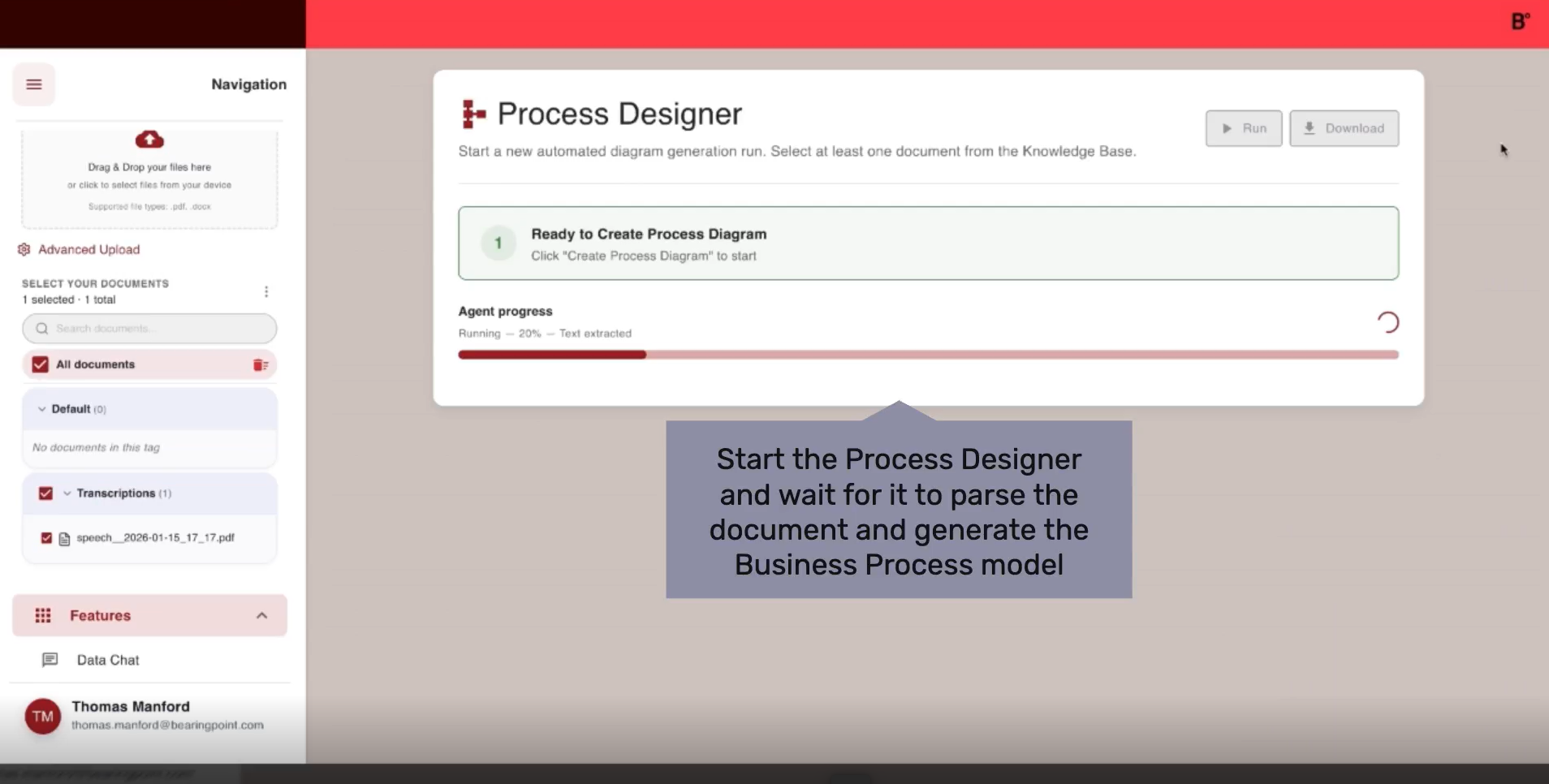
AI‑driven transformation of interview transcripts into BPMN models, automating documentation, researching best practices and state-of-the-art solutions, and identifying optimization and automation potential.

  • Design, document, and optimize enterprise processes faster with AI‑driven intelligence.

    During process analysis and redesign, teams and consultants spend significant time conducting interviews, manually documenting workflows, and translating insights into standardized BPMN models.

    This work is highly manual, error‑prone, and dependent on specialized expertise. Iterations are slow, optimization opportunities are often missed, and stakeholders struggle to get a clear, comparable overview of process improvements and solution alternatives.

    GenAIQ automates process design from insight capture to executable models.

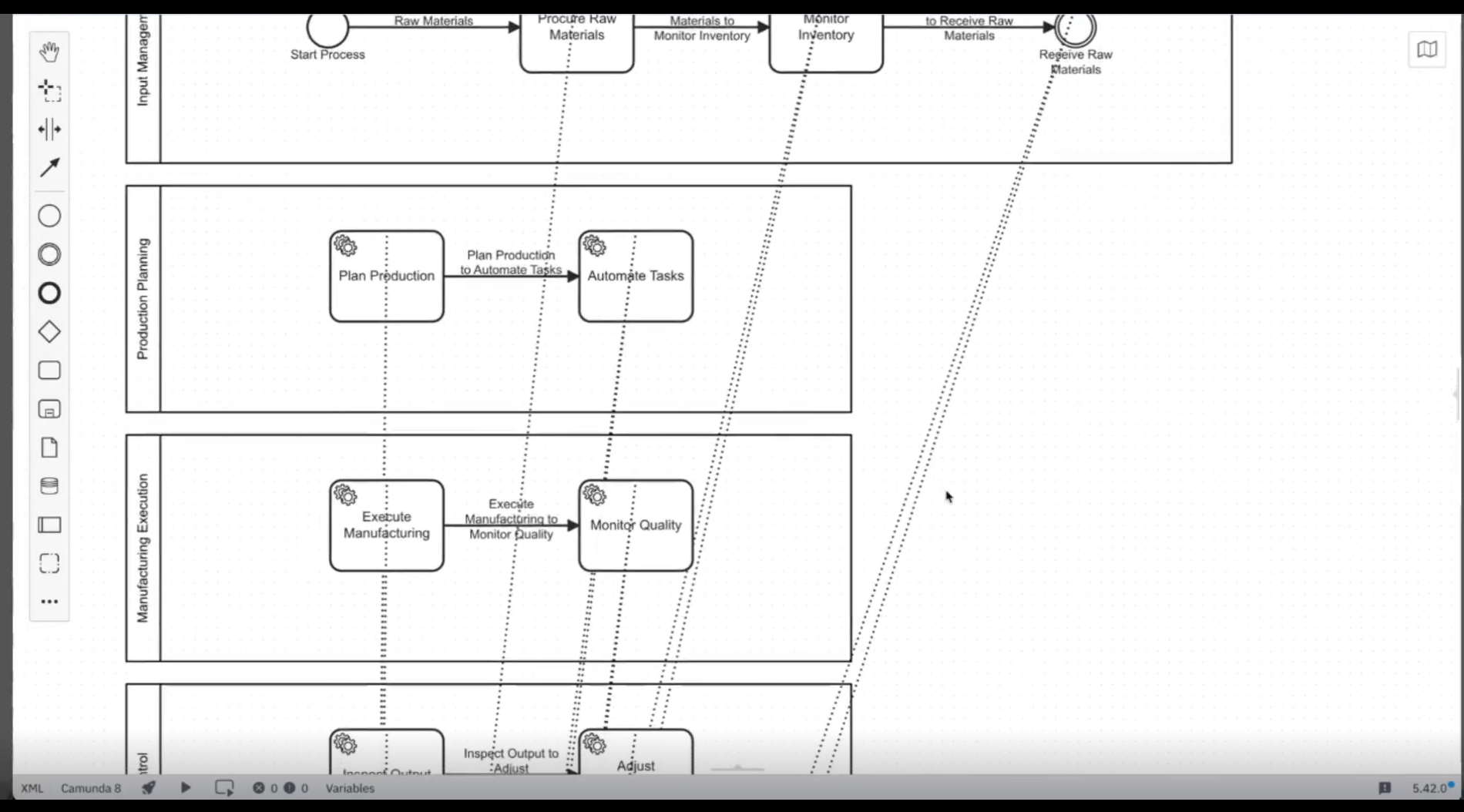
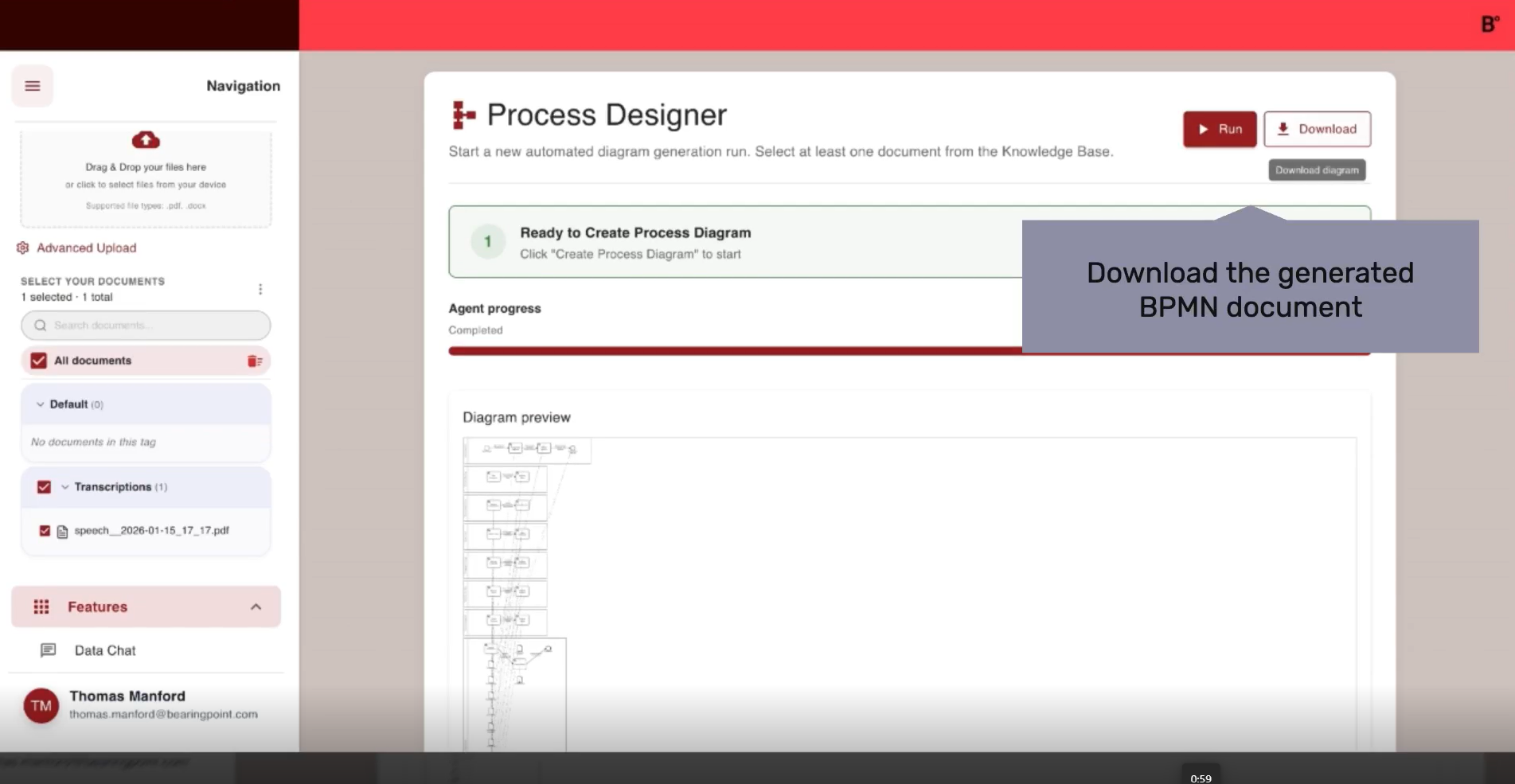
    It records and transcribes stakeholder interviews, analyzes the content to understand business processes, and automatically generates BPMN models. These models are then assessed for optimization potential and enriched with best‑practice and state‑of‑the‑art solution suggestions, ready for direct import into tools like Camunda, N8N, or Signavio.

Key benefits:

  • Significantly faster process modeling and documentation
  • Consistent, BPMN‑compliant process outputs
  • Reduced dependency on scarce technical expertise
  • Early identification of optimization and automation potential
  • Clear overview of alternative, best‑practice solutions
  • Higher quality outcomes in process transformation initiatives

Key features of Process Designer

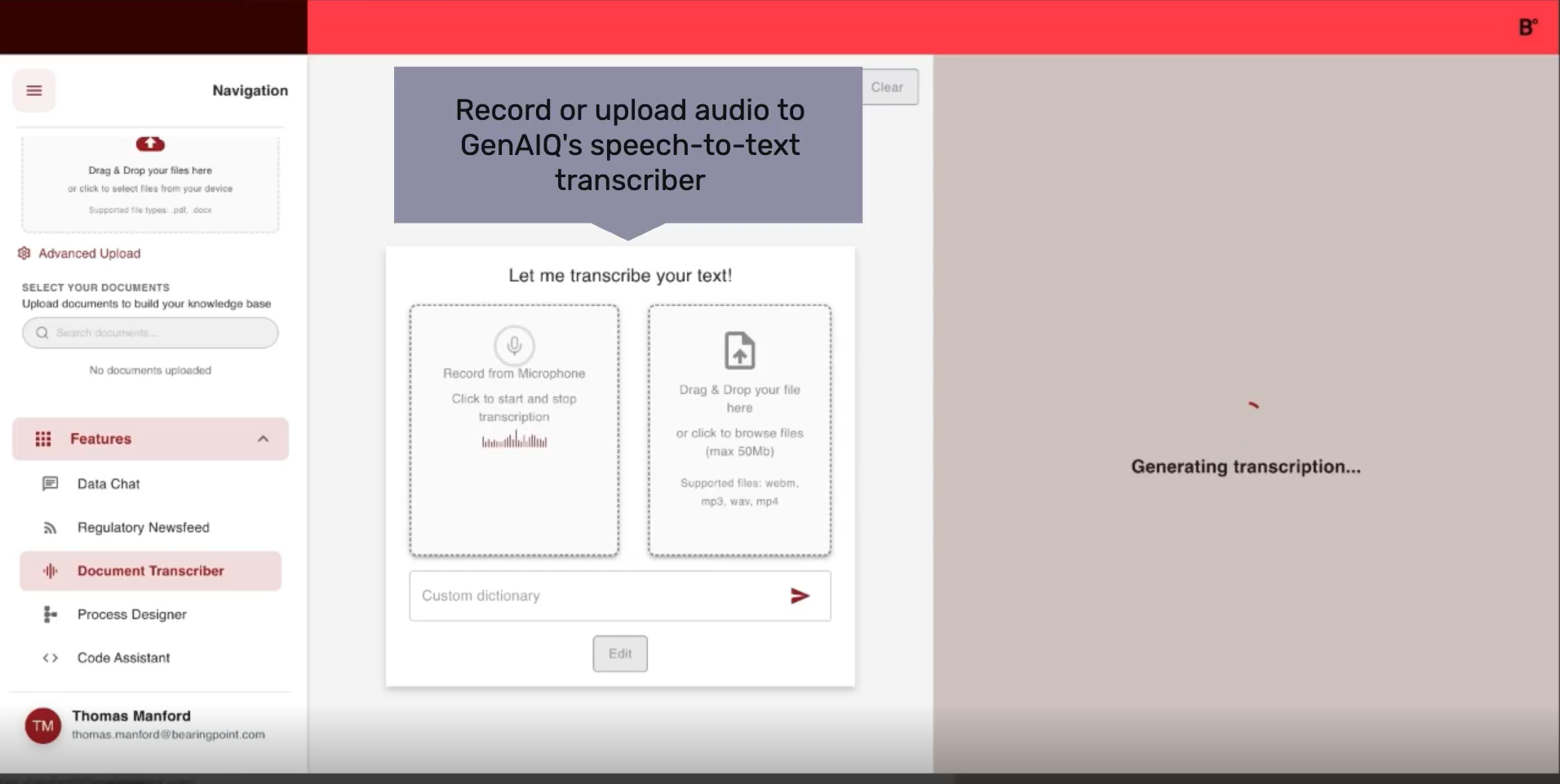
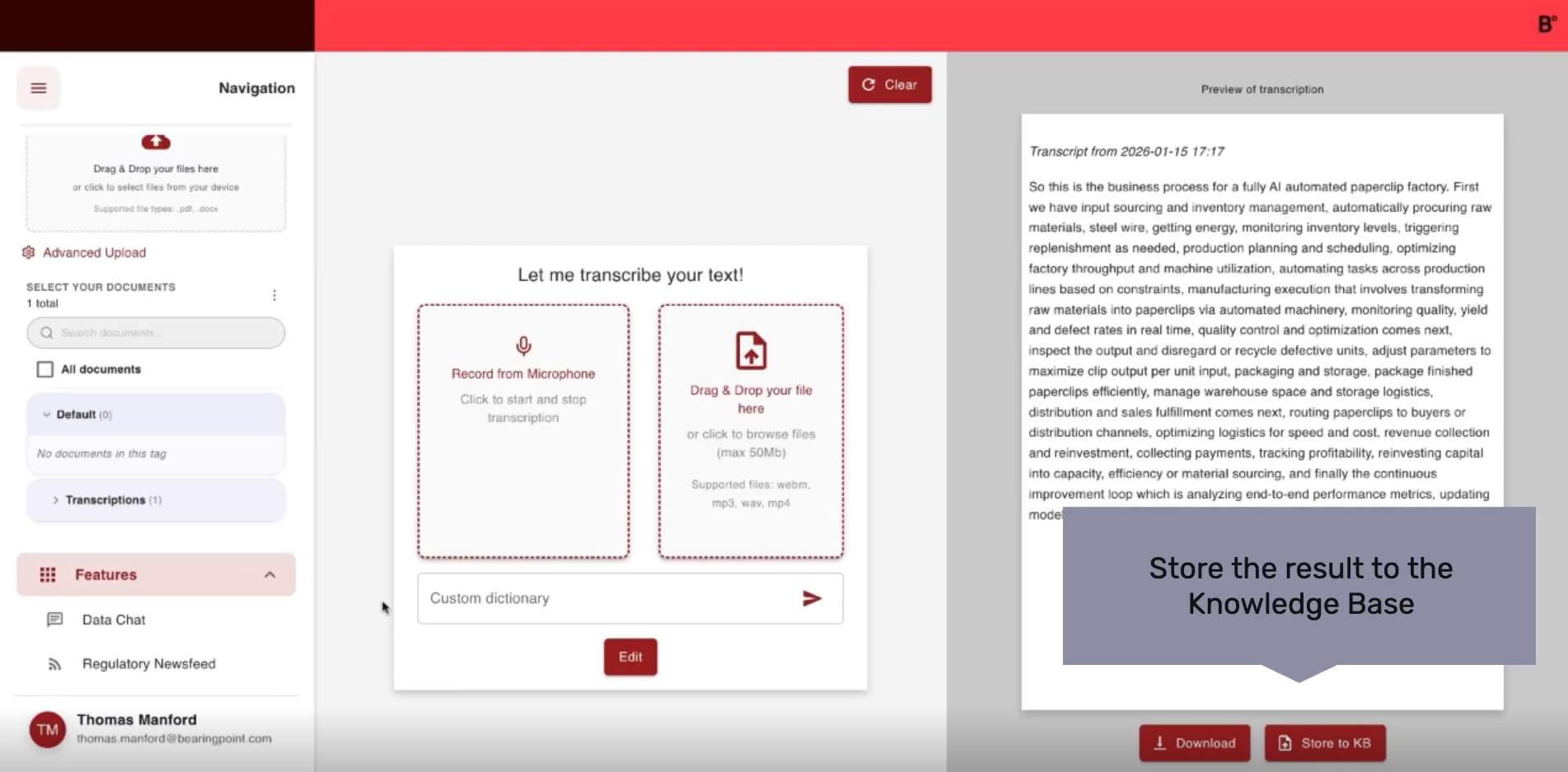
  • Speech transcription

    Capture process knowledge effortlessly by recording voice notes, convert spoken input into clean, searchable text, and feed transcripts directly into downstream process modelling or documentation steps.

  • SWARM Questionnaire

    Create structured questionnaires to capture process insights at scale, tailor inputs and logic to your discovery needs, and collect high‑quality responses that feed directly into your process modelling.

  • BPMN conversion

    Generate standardized BPMN models from transcripts or uploaded documents and export ready‑to‑use .bpmn files that integrate seamlessly with professional process‑modelling environments.

Module 3

File Organizer

AI‑powered structuring and validation of project files according to predefined rules, ensuring consistent folder setups, faster onboarding, and transparent quality checks for planning documentation.

  • Automatically organize, validate, and standardize project files

    Unstructured and messy project folders are a major productivity and risk issue across organizations.

    Document overload, inconsistent naming conventions, outdated or non‑compliant files, and manual sorting slow down execution and onboarding. Teams struggle to find the right information, quality checks take too long, and poor file governance increases operational risk and reduces transparency.

    GenAIQ automates file structuring and organization based on predefined rules and project guidelines.

    The File Organizer analyzes folder contents, file types, metadata, and relevance to understand project context. It validates documents against defined standards, identifies gaps and inconsistencies, and proposes a compliant target structure. With AI‑driven quality checks, teams can confidently apply the optimized folder structure directly to their file system—ensuring consistency with minimal manual intervention.

Key benefits:

  • Significantly less manual sorting and cleanup
  • Higher documentation quality and consistency
  • Faster project onboarding and handovers
  • Reduced errors and compliance risks
  • Clear, guideline‑compliant folder structures
  • More reliable and transparent project execution

Key features of File Organizer

  • Completion check

    Perform automated completion checks to verify whether the uploaded folder structure meets the predefined guideline and quickly identify missing or misplaced files.

  • File upload

    Upload project folders or files with one click and let the system instantly analyze their structure to prepare them for guideline‑compliant sorting.

  • File validation

    Validate applied sorting through confidence‑based quality checks, review flagged files, and correct misclassifications directly within the interface.

Module 4

Cost Controller

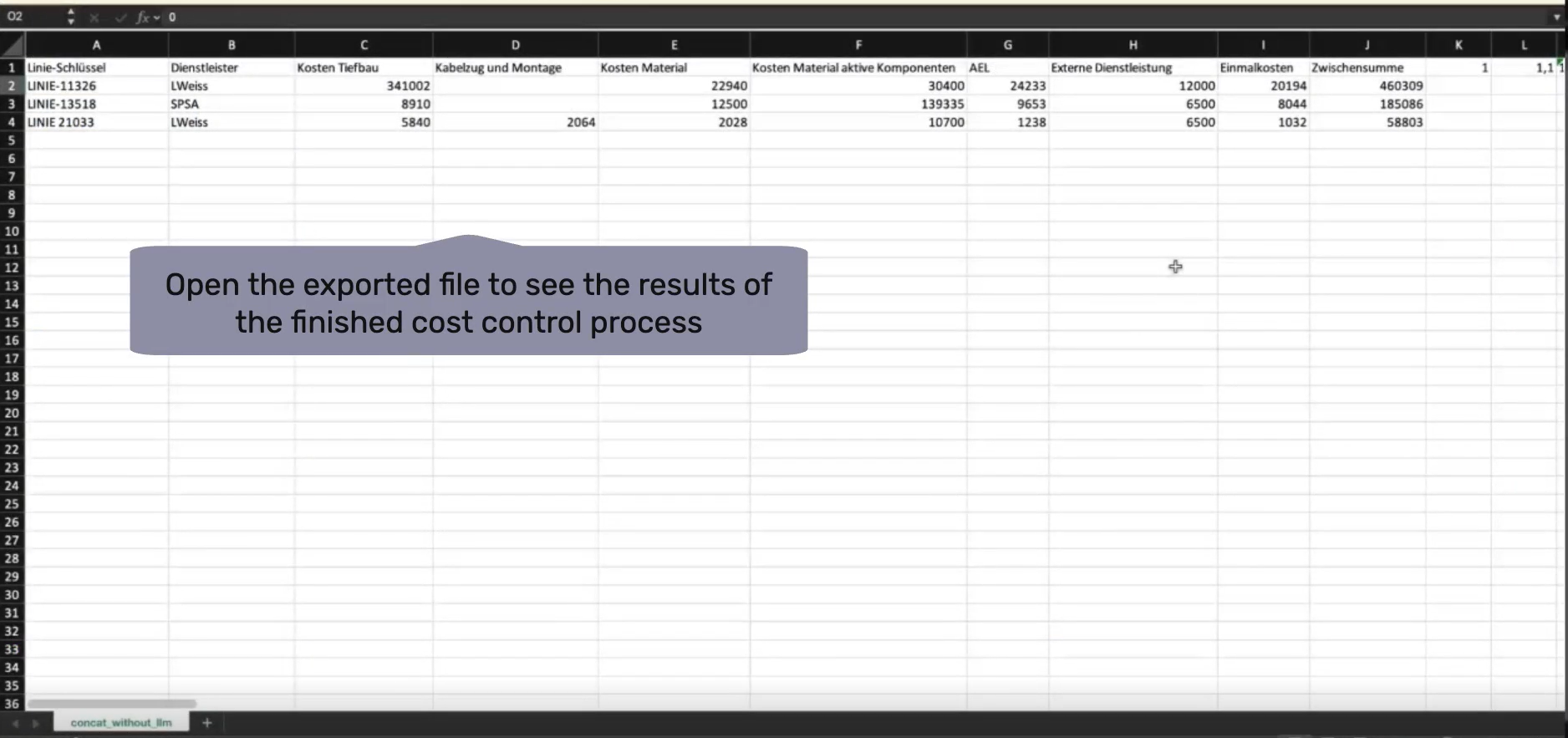
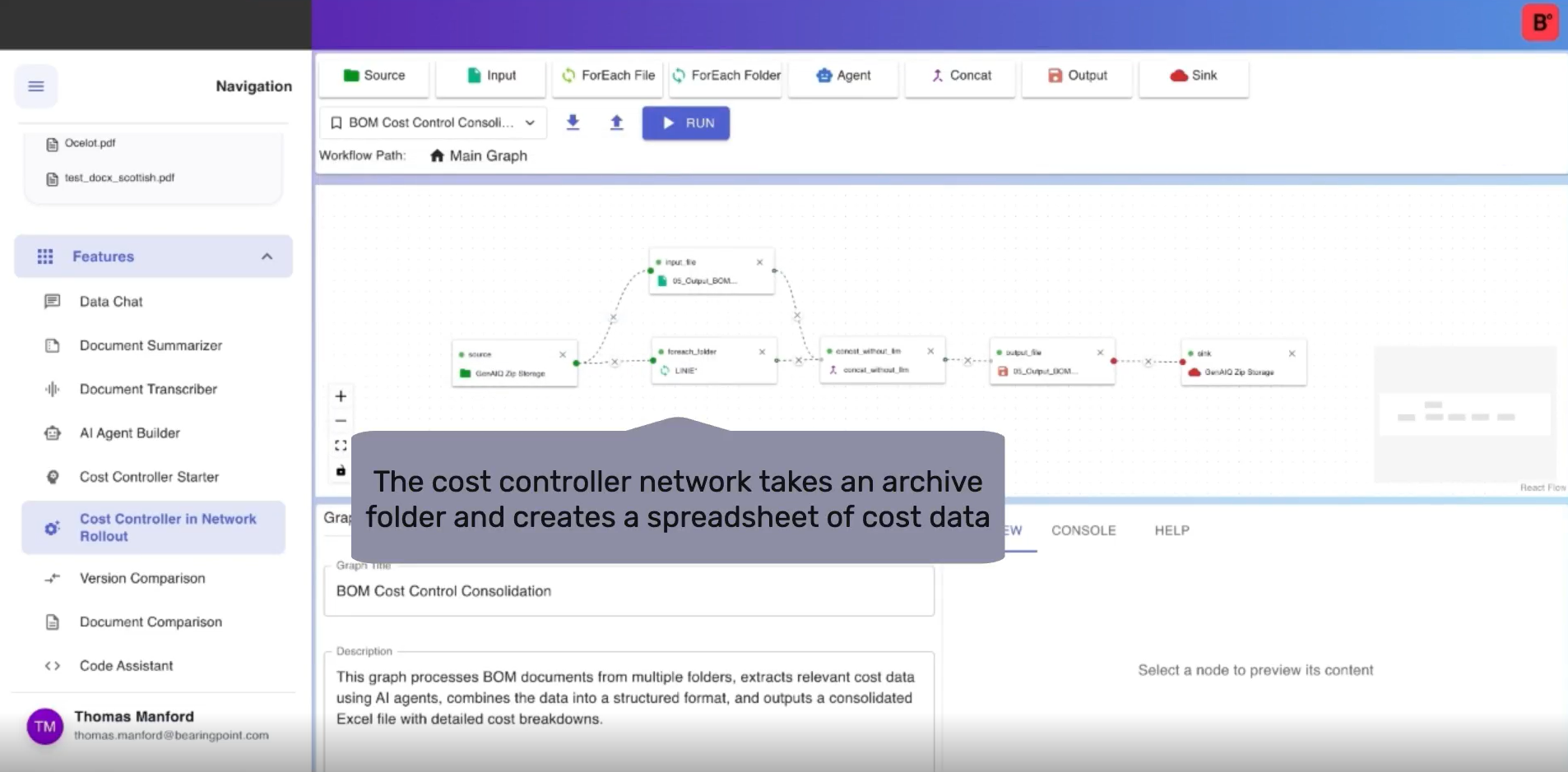
Automated ingestion, analysis, and generation of cost reports using graph‑based AI workflows, delivering highly accurate cost evaluations within seconds and reducing manual financial review effort.

  • Analyze, validate, and report costs faster with accuracy you can trust.

    Critical cost information is often scattered across multiple sources, network tools, Excel files, and internal systems.
    Manual workflows, inconsistent inputs, and time‑intensive data preparation slow down cost analysis and reporting. Teams struggle to reproduce results, adapt to changing assumptions, and scale analyses efficiently - leading to delayed decisions and reduced transparency for stakeholders.

    GenAIQ automates the entire cost analysis workflow, from data input to decision‑ready results.

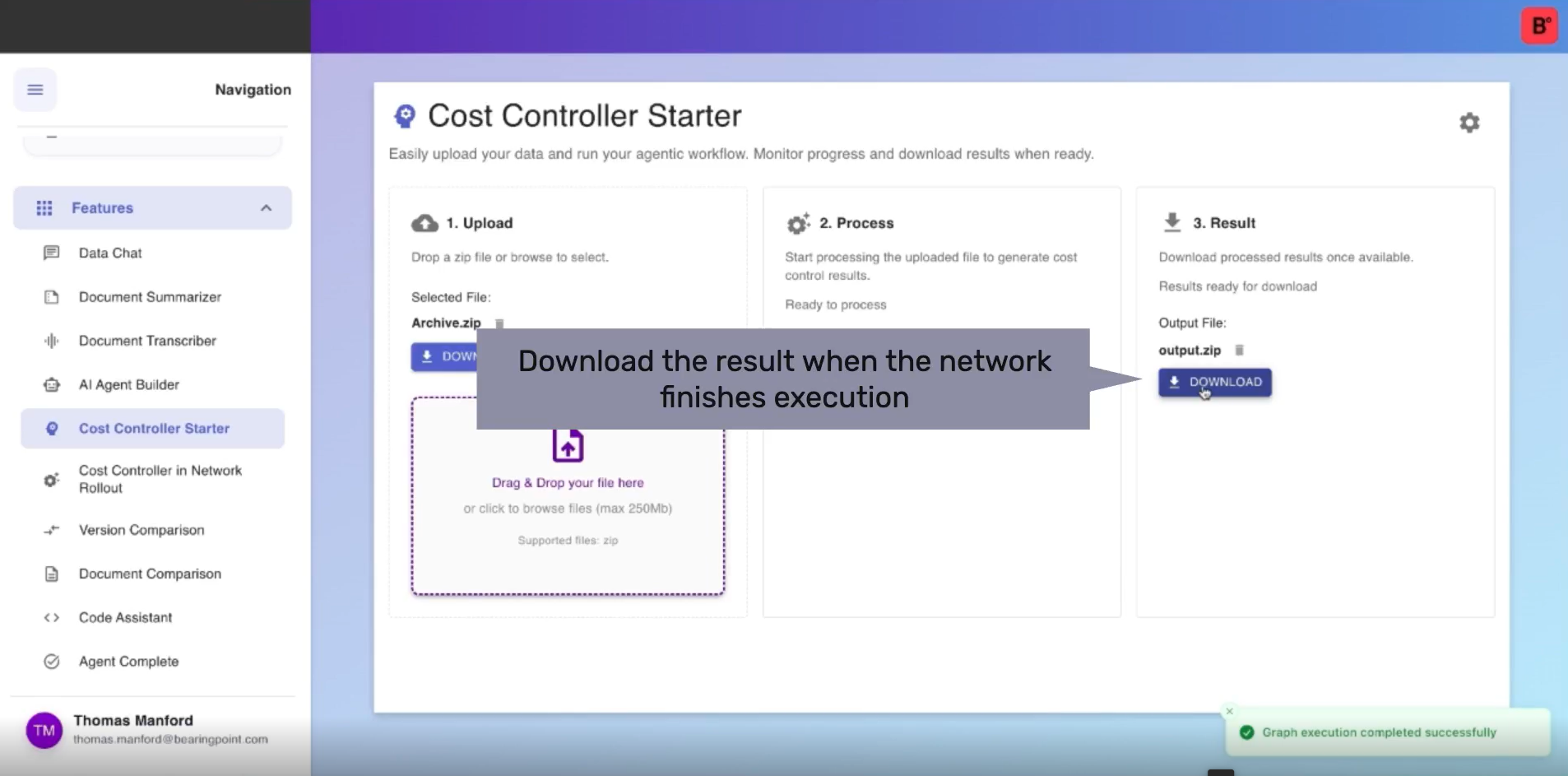
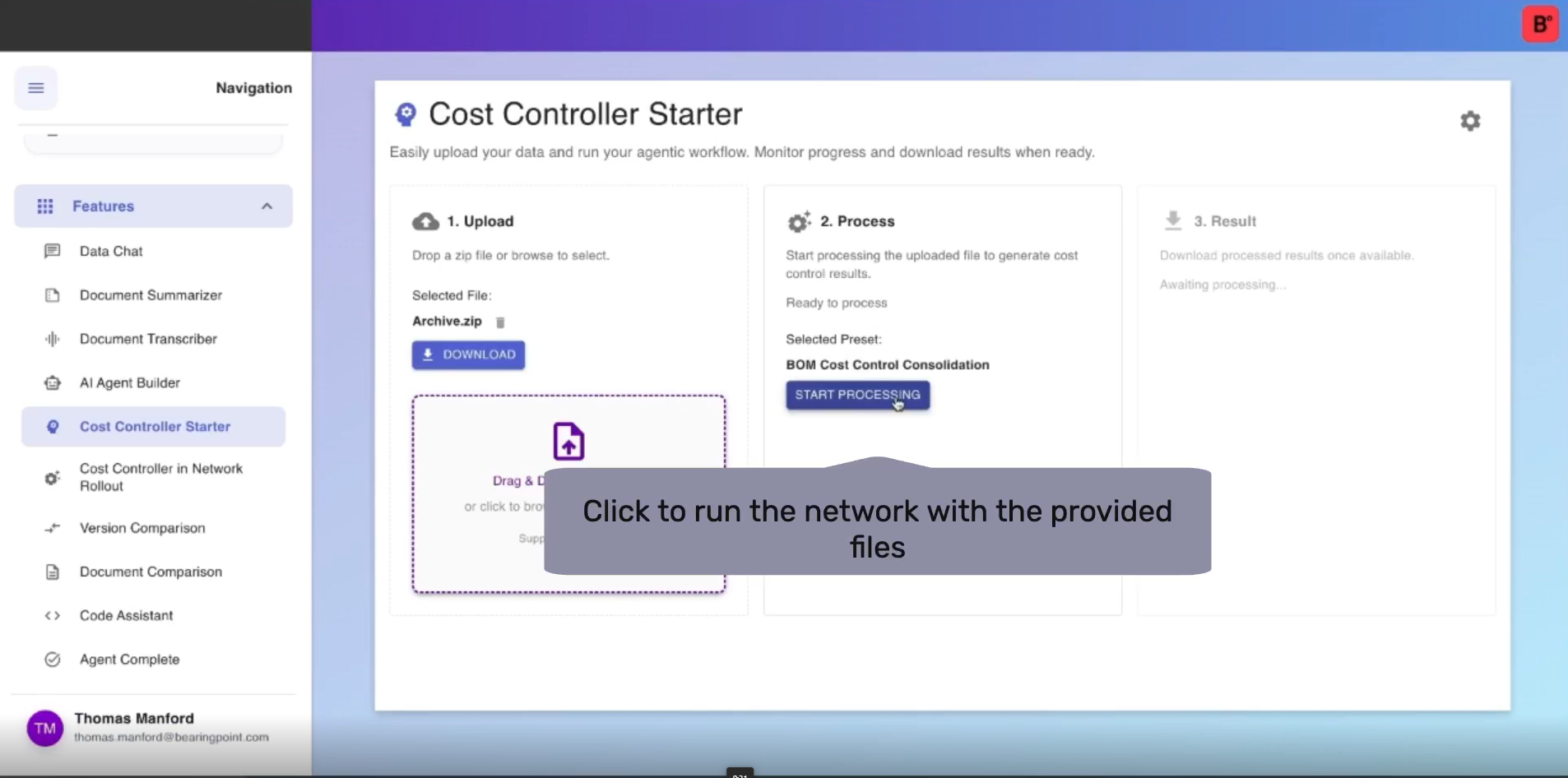
    The Cost Controller enables users to easily upload or connect cost data, configure presets and analysis logic, and generate highly accurate reports within seconds. With reusable presets, flexible graph components, and intuitive drag‑and‑drop setup, even complex cost scenarios are processed consistentlywithout manual calculation or technical complexity.

Key benefits:

  • Significantly faster cost analysis and reporting
  • Higher accuracy and reproducibility of results
  • Minimal manual effort through automation and presets
  • Transparent, decision‑ready outputs for stakeholders
  • Easy adaptation to changing assumptions and inputs
  • Scalable cost analysis without complex setup

Key features of Cost Controller

  • Agent system builder

    Build automated workflows by orchestrating AI agents that transform, analyze, and route information. Enable low-/no code automation with nested agent steps for reliable end‑to‑end execution.

  • Document intelligence

    Document Intelligence uses AI to extract, understand, and act on information within unstructured documents such as invoices, forms, contracts, and reports. It powers our agentic solutions – turning static files into actionable insights.

  • Agent flow executer

    Run predefined agent workflows on your own datasets with a simple, guided interface, upload and review files instantly, and trigger end‑to‑end processing using presets configured by your service integrators.

Module 5

Quality Assurance in QGIS

AI‑based validation of low‑level designs inside QGIS, automatically detecting construction‑path issues, surface‑type errors, and geodata inconsistencies to ensure reliable, audit‑ready network planning.

  • Automated quality assurance for complex network designs

    Validating low‑level network designs is highly time‑consuming and prone to errors. Manual checks across GIS layers, design rules, regulations, and construction constraints require deep expertise and repeated iterations. Under tight deadlines, teams risk inconsistent validation, overlooked issues, and rising operational costs directly impacting project quality, delivery timelines, and compliance.

    GenAIQ automates quality assurance in QGIS using AI‑assisted validation and domain expertise.

    The solution integrates directly with QGIS to analyze network designs against design rules, constraints, and best practices. Using vision, tooling, and intelligent agents, GenAIQ scans layouts, detects inconsistencies and errors, classifies findings, and generates standardized reports. Identified issues are clearly documented, enabling faster corrections, reliable handovers, and scalable quality control.

Key benefits:

  • Significantly faster LLD validation cycles
  • Higher detection accuracy with fewer design errors
  • Reduced manual review effort and dependency on experts
  • Lower operational and correction costs
  • Standardized, audit‑ready QA reports
  • Improved reliability and consistency in network planning

Key features of Quality Assurance in QGIS

  • QGIS plugin

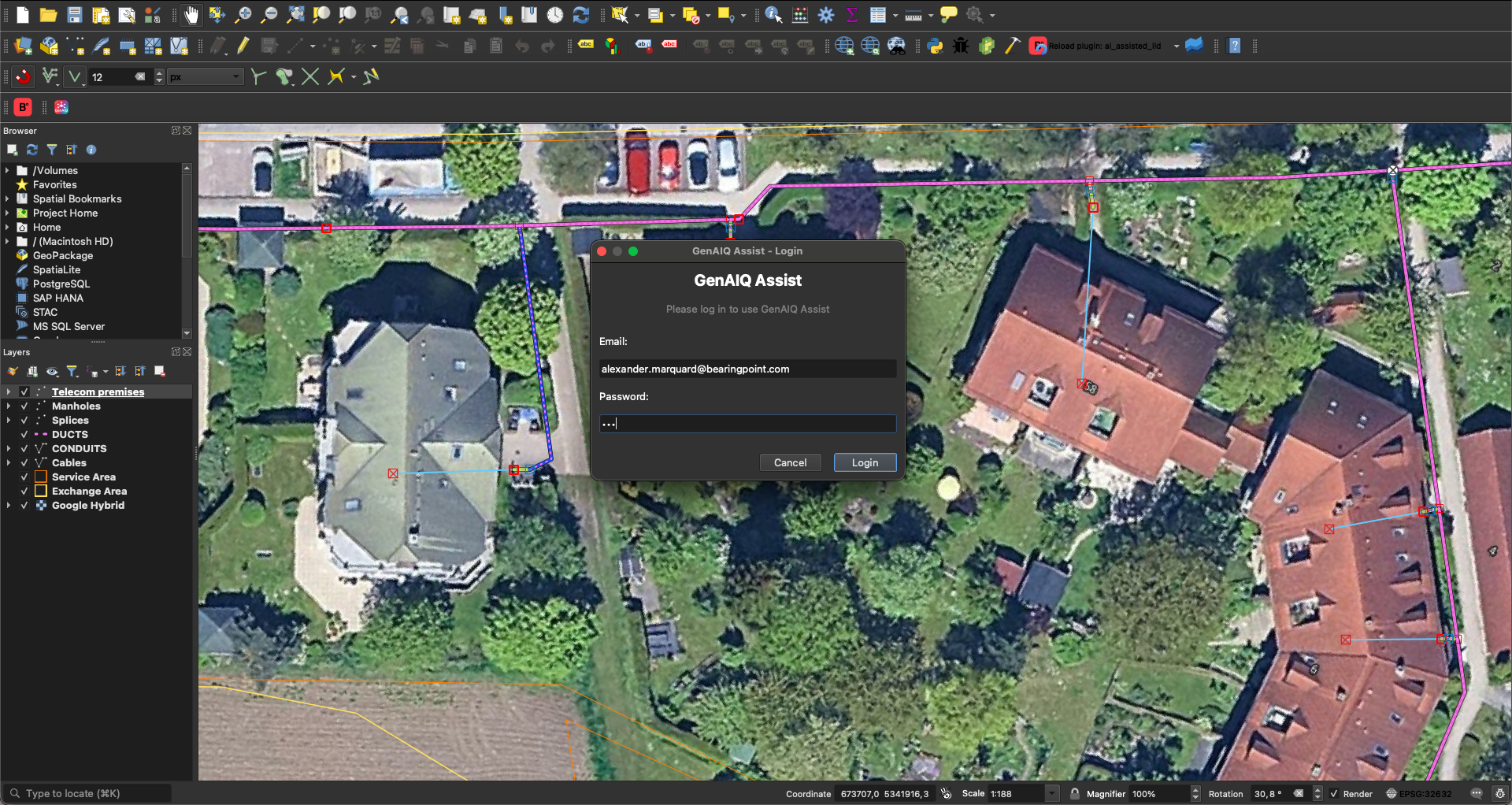
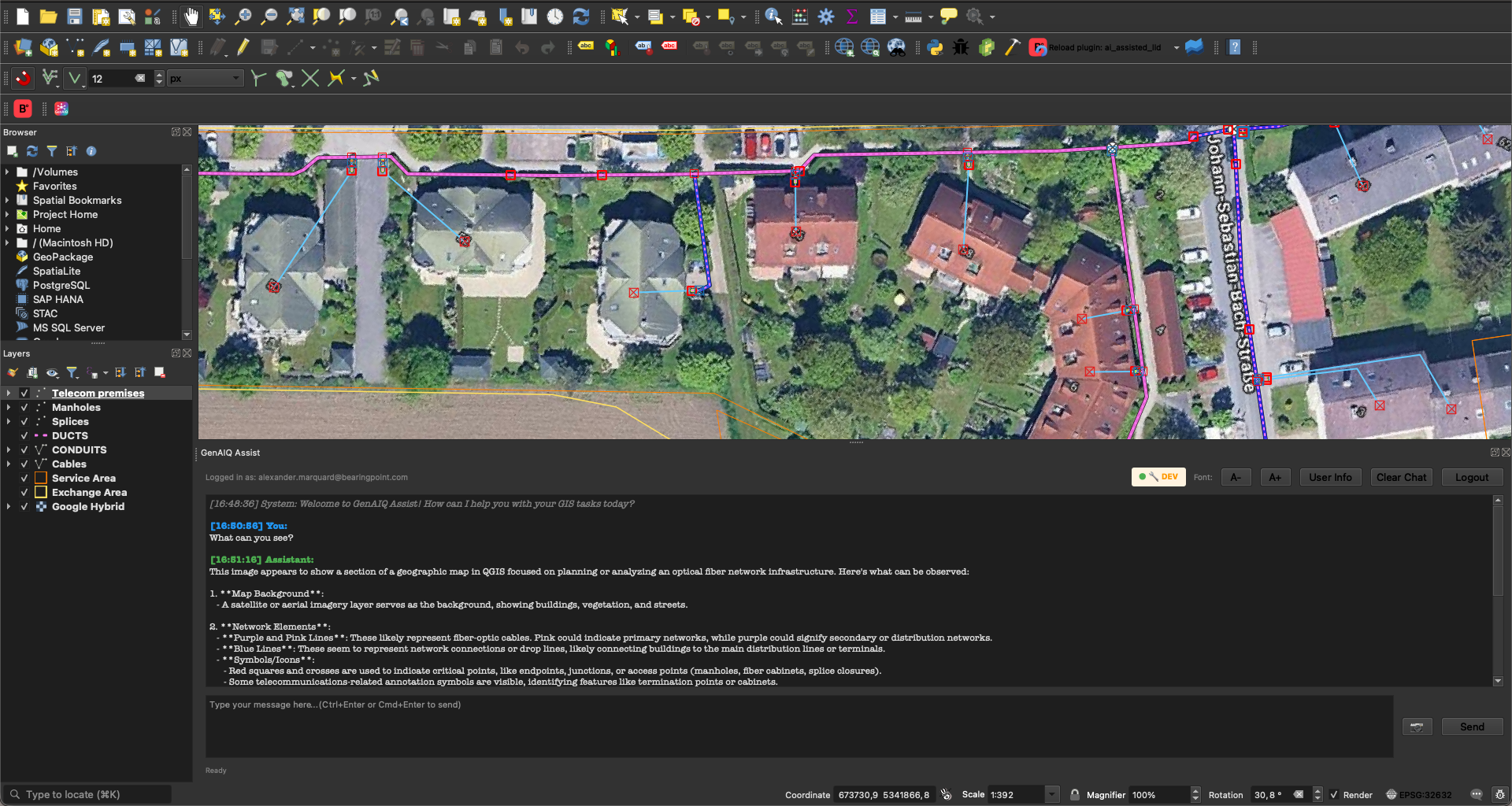
    Interact with complex geospatial data through natural‑language prompts, lower the barrier to using QGIS across all departments, and accelerate route‑network checks by steering analyses directly via chat.

  • Checklist configuration

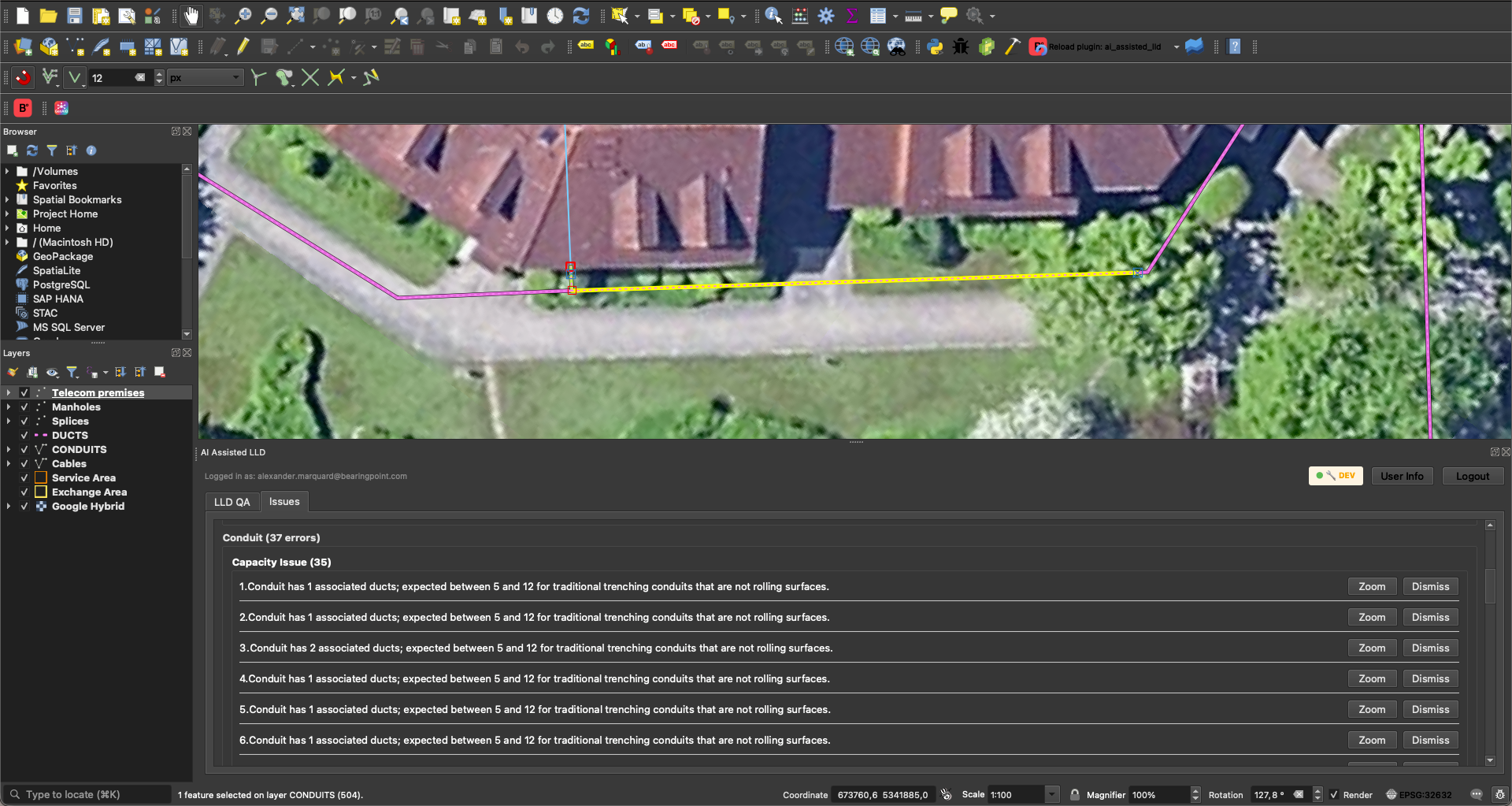
    Apply UGG’s LLD checklist as a standardized rule‑set, run automated validations for service areas, capacity, and conduits, and surface all detected issues directly in QGIS for fast, traceable quality assurance.

  • Data chat

    Ask questions across your knowledge base and retrieve cited, verifiable answers with optional world-knowledge enhancement for deeper insights.

Get started

Talk to our AI experts. We'll show you how GenAIQ can go live in your environment - compliantly, rapidly, and built for scale.